
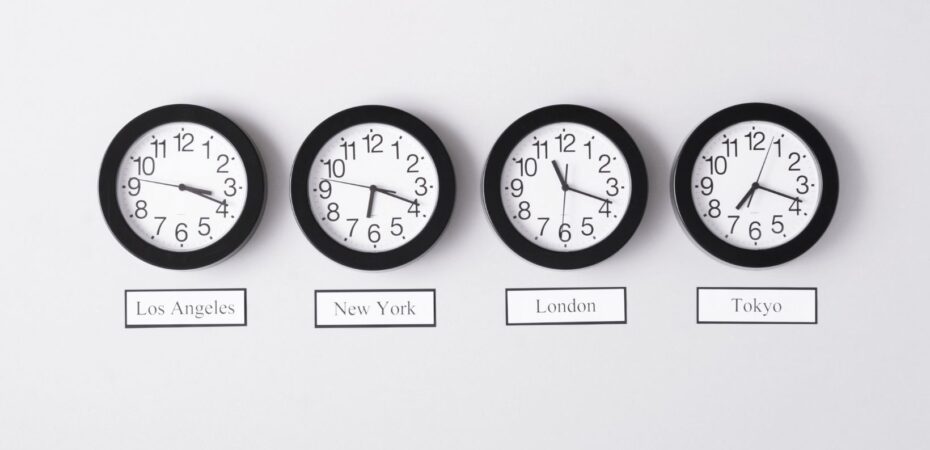
You step off the plane in Dubai, exhausted from a 14-hour flight. Your phone still shows the time back home. A meeting reminder pops up for “9 a.m.” and you freeze, unsure whether that means local time or home time. This kind of confusion is the silent cost of time zones international travel throws at even seasoned flyers.
Quick answer: To handle time zones when traveling internationally, set your devices to local time before you land, use a world clock app to track multiple cities at once, and begin shifting your sleep schedule a day or two before departure. These three habits cut disorientation sharply and help your body adapt faster.
The good news: you do not need special skills to get this right. You need a small plan and the right tools.
How Time Zones International Travel Creates Disruption
Every city on Earth sets its local clock relative to UTC (Coordinated Universal Time) or GMT (Greenwich Mean Time). Fly far enough east or west and you can effectively gain or lose a full day. That gap does not just scramble your schedule. It reshapes your body’s internal rhythm.
Your circadian clock responds to light, food, and physical movement. When you cross several time zones in one flight, that clock keeps running on your home schedule while the world around you operates on a completely different one. The result is jet lag: disrupted sleep, foggy thinking, and low energy that can last for days.
The CDC’s travel health section includes practical guidance on jet lag prevention and recovery, covering sleep timing and light exposure strategies that international travelers can start using before they even board.
Before departure, consult an interactive time zone map to visualize exactly how many hours separate your home city from your destination. Seeing the gap laid out spatially makes planning your adjustment schedule much easier.
For professionals navigating tight meeting schedules across borders, business travel resources offer scheduling tools and itinerary guides built specifically around time zone management at a professional level.
How Do I Keep Track of Multiple Time Zones While Traveling Internationally?
The easiest way to keep track of multiple time zones while traveling internationally is to use a world clock app that shows several cities at the same time. Most smartphones already include a basic world clock in the default clock app, which is enough for many travelers. If you regularly manage meetings or calls across three or more time zones, more advanced apps can help you color-code cities, compare overlapping working hours, and set location-based alarms.
Google Calendar is another useful tool for managing international time zones. When you create an event, you can often display it in both your home time zone and your current local time zone. This makes it much easier to avoid scheduling mistakes while traveling.
Staying connected is just as important as keeping track of the time. Setting up an eSIM before your trip can make international travel much easier by giving you quick access to mobile data as soon as you arrive. That means you can check your world clock app, update Google Calendar, join calls, and respond to schedule changes without relying on unreliable public Wi-Fi.
If you expect to make calls across borders, it also helps to review your international calling options before you leave. Planning ahead can save time, reduce stress, and help you avoid unexpected roaming charges when you need to connect.
A time zone converter travel tool is also worth bookmarking for quick one-time calculations. You can enter a meeting time from a colleague in another country and instantly see what it means in your current location, which is especially helpful when plans change on the go.
What Is the Best App for Managing Time Zones When Traveling Abroad?

There is no single universal answer, but a few tools stand out for frequent international travelers. The built-in World Clock on iOS and Android handles the basics well for most trips. Travelers managing international business travel across four or more time zones often prefer apps that offer visual overlap displays showing when working hours align across multiple cities.
The feature to prioritize is a simultaneous display, not just a list of times. Being able to see London, Singapore, and Chicago on the same screen at a glance removes the mental math that leads to missed calls and scheduling mistakes.
Should I Change My Phone to Local Time When Traveling Internationally?
Yes, and the right moment to do it is when you board your outbound flight, not when you land. Switching early anchors your alarms, calendar reminders, and apps to your destination before you arrive, which reinforces the mental shift you need.
Most modern smartphones update automatically when “automatic time zone” is enabled in settings. If your phone does not adjust on its own, update it manually as you board.
One complication worth planning for is daylight saving time. Not every country observes it, and those that do may not shift clocks on the same date as your home country. A time zone converter travel tool or world clock app that accounts for daylight saving time will give you accurate local times throughout the entire year.
Avoid Jet Lag by Managing Time Zones Before You Travel
Jet lag is largely a preparation problem, not just a recovery problem. Travelers who adjust before departure recover significantly faster than those who wait until they land to start adapting.
Use these four strategies to reduce jet lag on long international flights:
- Shift your bedtime 30 to 60 minutes toward your destination’s schedule in the three days before you leave.
- Stay hydrated throughout the flight and limit alcohol, which interferes with sleep quality.
- Seek outdoor light at your destination as soon as possible after landing.
- Match your meal times to local hours from the moment you arrive, even if your appetite has not caught up yet.
Light exposure and meal timing send some of the strongest reset signals to your circadian clock. Use them deliberately and consistently
Master the Clock Before You Leave, Not After You Land
Time zones international travel puts in your path are manageable with a clear plan. Set your devices to local time before you board, run a world clock app or time zone converter throughout your trip, prep your sleep schedule in the days before you leave, and use light and meals to reset faster on arrival. The travelers who move between countries without missing a beat are not lucky; they are prepared.
 By Gregory O'Neill
Greg is a modern-day explorer with an insatiable love for travel. His passion for adventure has led him to far-flung corners of the world, where he immerses himself in diverse cultures and experiences. Greg's zest for life is epitomized by a continuous pursuit of new horizons and captivating journeys.


