

The idea of being a digital nomad is simple. You take your skills, your laptop, and your income, and you stop tying them to one location. For many professions, that’s already standard. For 3D artists, it’s still a problem that hasn’t fully gone away.
Modeling, texturing, animation — all of that works fine on a decent laptop. Rendering is the bottleneck. Real production renders still want power, cooling, and time. And none of those travel well.
This is where most 3D artists quietly compromise. They travel less. They accept slower turnaround times. Or they downgrade quality to match what their machine can handle on the road. None of those are good long-term strategies if you want both mobility and professional output.
There is a better setup, and it’s already being used by freelancers who work while moving between cities, countries, and time zones.
The Core Problem: Rendering Does Not Like Travel
A proper workstation is heavy, fragile, and expensive. Airlines do not care about any of that. Neither do hostels, cafés, or tropical humidity.
Even if you manage to bring a powerful laptop, sustained rendering pushes it into thermal throttling. Fans scream. Batteries drain. Performance drops. Long renders tie up your only machine, which means you’re not working — you’re waiting.
For digital nomads, this creates constant friction:
You can’t render overnight if you need the laptop in the morning.
You hesitate to take larger projects because deadlines and render times become unpredictable.
You end up scheduling life around hardware instead of the other way around.
The lifestyle promise breaks the moment your work demands a fixed setup.
The Shift: Laptop for Creation, Cloud for Rendering
The practical solution is separating creative work from compute power.
You model, animate, and prepare scenes locally.
You render remotely.
A laptop becomes a control panel, not a furnace. Heavy lifting moves to a cloud render farm where scenes are processed on dedicated machines built specifically for rendering, not portability.
This changes how travel feels when you’re working professionally.
You’re no longer asking “can my laptop handle this?”
You’re asking “how fast do I want this done?”
Why This Setup Actually Works While Traveling
The key advantage isn’t just raw power. It’s predictability.
A cloud render farm gives you:
Consistent render times regardless of where you are
No thermal throttling or crashes mid-render
The ability to work, sleep, or move while frames are processing
You can send a job before boarding a train and review results at your destination. You can render while staying somewhere with unstable electricity or slow local hardware.
Your location stops mattering.
Practical Digital Nomad Workflow for 3D Artists
This is how most mobile professionals structure it in practice.
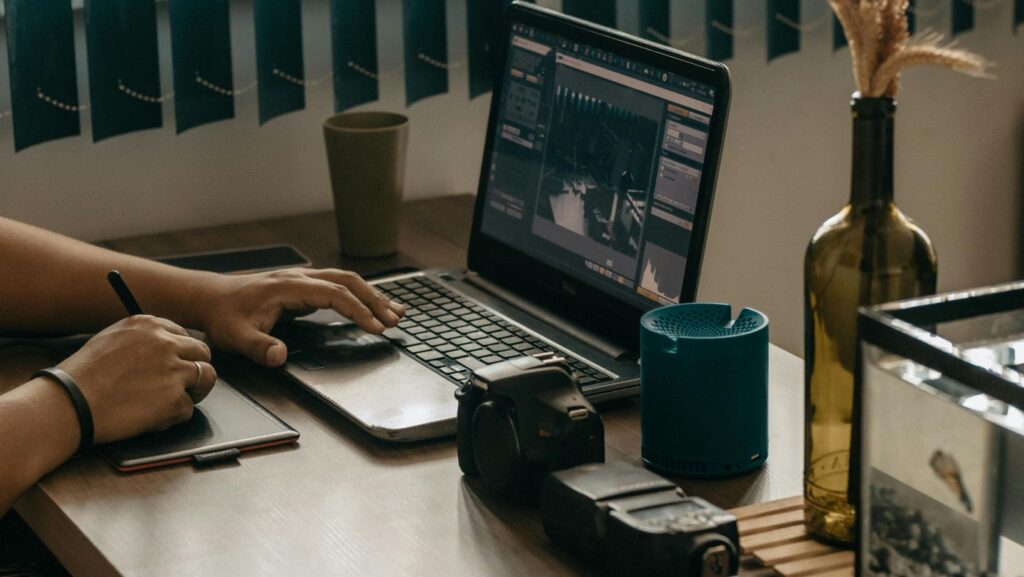
They travel with a mid-range laptop that runs Blender, 3ds Max, or similar tools smoothly for scene work. It doesn’t need to be extreme. Stability and battery life matter more than peak performance.
Scenes are prepared locally. Assets are optimized. Test renders are small and quick.
Final renders go to a cloud render farm, where the job scales across multiple machines. The artist pays only for the compute time used, not for owning or maintaining hardware.
One example used by freelancers is GarageFarm.NET, which supports major 3D applications and lets artists offload full production renders without changing their creative workflow. It’s not about switching tools. It’s about moving compute off your desk — or backpack.
Working From Anywhere Without Dropping Quality
A common fear is that remote setups force compromises. Lower resolution. Fewer samples. Simplified lighting.
In reality, it’s the opposite.
When rendering power is no longer limited by what you can physically carry, quality stops being constrained by fear of time. You don’t avoid higher settings because “this might take all night.” You set the render the way it should be done and let infrastructure handle it.
This is especially important when working with clients across time zones. While you sleep, frames render. While you explore a city, animations finish. Deadlines stop clashing with life.
That’s the real upgrade.
Internet Reality: What You Actually Need on the Road
You don’t need perfect internet. You need stable enough internet.
Uploading a scene once is manageable even on average hotel Wi-Fi. After that, most of the work happens remotely. Downloads can wait until you’re back somewhere comfortable.
Many nomads schedule uploads during quieter hours or from coworking spaces. It’s not glamorous, but it’s practical. And it works far better than trying to render locally on a machine that wasn’t designed for it.
The Mental Shift Most Artists Resist
Here’s the uncomfortable truth.
Many artists delay going remote because they’re emotionally attached to their hardware. They like the idea of owning power. They underestimate the cost of mobility friction and overestimate the value of local rendering.
A digital nomad setup forces you to admit something: compute is a service now, not a possession. Once you accept that, the entire lifestyle becomes easier.
You stop planning trips around projects.
You stop worrying about deadlines ruining travel.
You stop carrying unnecessary weight, physically and mentally.
Final Thoughts: Mobility Without Downgrading Your Work
Being a digital nomad as a 3D artist doesn’t mean working less seriously. It means designing a workflow that doesn’t punish movement.
Laptop plus cloud render farm is not a hack or a workaround. It’s the logical endpoint of remote creative work. The same way designers stopped printing locally and developers stopped hosting servers under their desks.
If your goal is to work from anywhere without sacrificing professional output, this setup isn’t optional. It’s inevitable.
Travel light. Render heavy.
 By Gregory O'Neill
Greg is a modern-day explorer with an insatiable love for travel. His passion for adventure has led him to far-flung corners of the world, where he immerses himself in diverse cultures and experiences. Greg's zest for life is epitomized by a continuous pursuit of new horizons and captivating journeys.


